

Self Debugging
For new server owners and developers
As a server owner or server developer at some point you will experience code failing, scripts not running like they should, resources behaving weirdly, etc.
This can happen with any script either purchased from a creator or one of your own!
At Codesign we always attempt to help with this, however, things can become difficult when we cannot recreate the issue ourselves.
We've made a small checklist of important things to check:
- When does the error happen?
- E.g. - When I click this button
- Where does the error happen?
- E.g. - This specific part of the map, or this specific section of the UI
- How often does the error happen?
- E.g. - Every time, at this specific time
- What do I expect to happen
- What actually happens?
Below you can find more detailed instructions which can help figure these questions out:
Troubleshooting
1. Check if the script has been authorized correctly. Enable Config.DebugPrints in the config.lua and check the server console to make sure there are no errors saying You lack the required entitlement? and check for 2 client-sided prints saying Loaded Successfully!.
2. Check for obvious error prints in the server console and the client F8 console. If you don't see any obvious errors make sure to restart the script while the server is live and check again.
3. If applicable, change the key in the config.lua to one that you know works, as one of your other resources, may be disabling that specific key. Please read for more information regarding #key-mapping.
4. If none of the above worked, have a second read through the installation guide, you may have missed something - you are only human.
If all else fails, contact the Codesign Team in the Codesign Discord..
LUA Debugging
Basic LUA Debugging Example
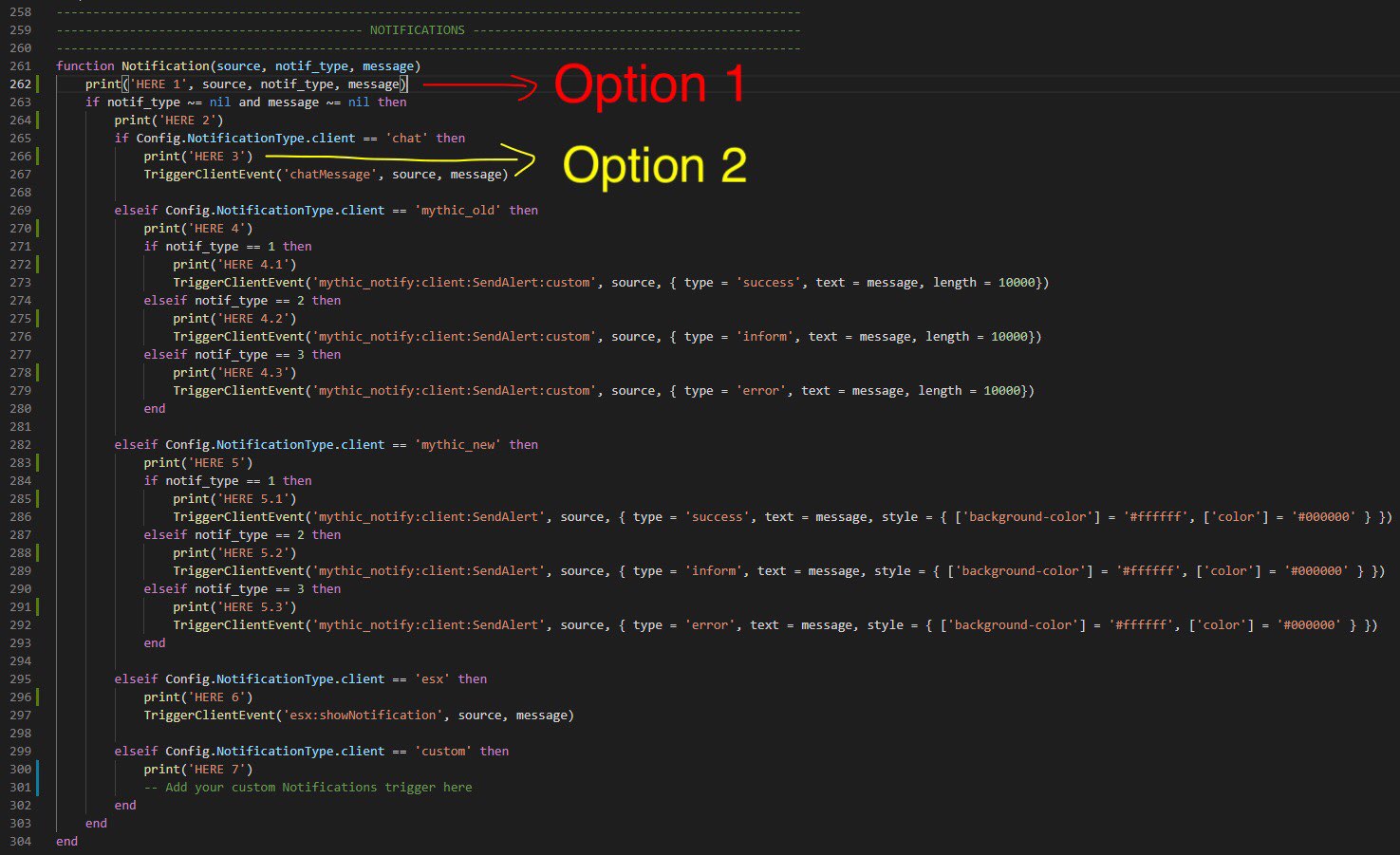
Option 1: You can print the variables being received/sent in events/functions (or just any variables in general). But you will not be able to print booleans unless you convert them into strings.
Option 2: You can also use prints to debug what may be causing a script to error or what may be causing the code to not reach a certain line. We can do this by adding a print on every line in a certain part of the code which is having issues (just change the string in the print so it's unique eg., "here 1", "here 2"), and you will be able to see which line the code is not able to get passed, then you will know what line of code is causing the problem.
Option 3: In most cases, these are both best used together to actually see what's going on in the code.
LUA Table Debugging
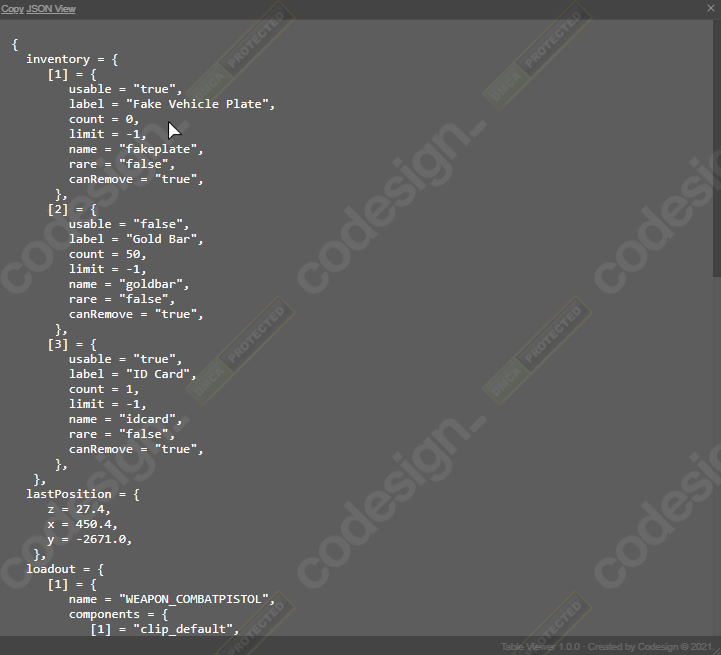
If you try to print a table using the methods above, it will normally look like this - table: 0xe2a670.
So in order to see the data inside tables we need to use another method, luckily we released a free resource which does just this!
Useful Tip for LUA Debugging
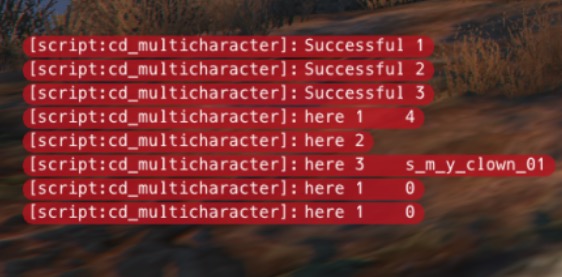
What this does is display all of the prints on your screen instead of only displaying them in the client-side F8 console, it's just a small quality-of-life feature for developers.
FAQ
Do you still need more help with prints?
Here are a couple of links to help you further:
SQL Debugging

This will print all SQL queries into your server console so you can see what's going on database-wise.